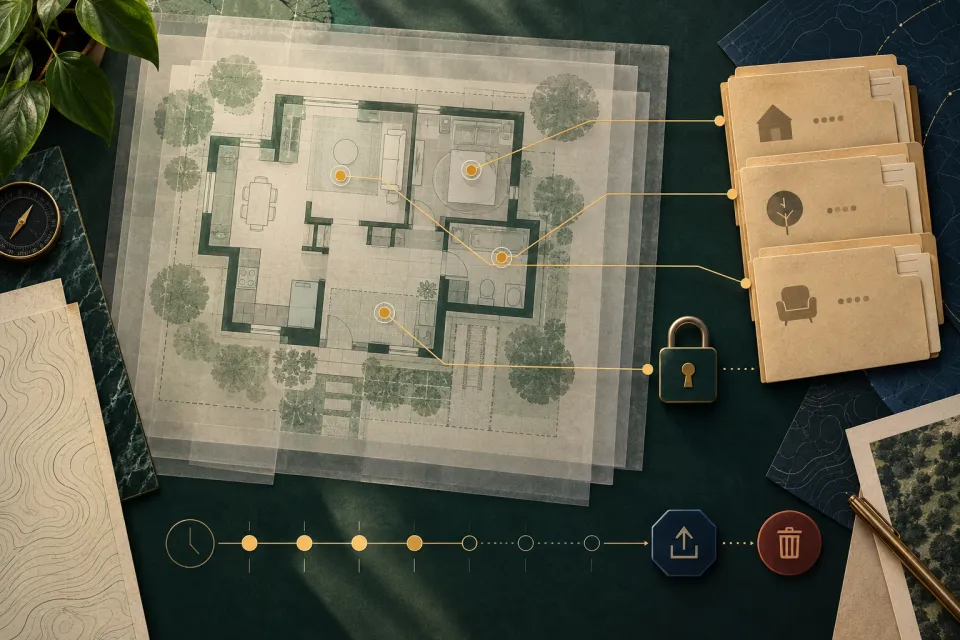
Begin with the published spatial-memory claim, then trace the data lifecycle
The KOKO Home page says KOKO builds “Real-time Spatial Memory” and describes keeping track of routines, important items, loved ones’ needs, and meaningful moments. That is a first-party product-direction statement. The reviewed page does not explain the underlying data types, whether a user-visible map is created, where information is processed or stored, who can access it, how long it remains, or how deletion works.
Those missing details define the useful follow-up: inputs, derived maps or models, purpose, location, transmission, account association, access, sharing, retention, export, correction, and deletion. Separate what the page actually says from technical assumptions about sensors, storage, or architecture.
Identify every input and resulting data product
Ask which current sensors or user inputs contribute to navigation and setup, without guessing from the robot’s appearance. Then ask what those inputs produce: a temporary local state, a reusable map, labeled locations, images, logs, diagnostics, or another representation. Determine whether a user can see the result and whether raw input is retained separately from a derived spatial model.
Document purpose at the same level. Data needed to complete one route should not automatically be treated as necessary for product improvement, support, research, personalization, or a future feature. Ask whether each additional use is required or optional, how it is presented to the user, and what happens when the user declines.
- Which sensors, commands, labels, and setup actions contribute to spatial data?
- Which raw inputs, maps, derived features, and diagnostic records are created?
- Which current function uses each data type, and is that use required?
- Can the user inspect, correct, rename, reset, or exclude part of the mapped space?
Trace storage, transmission, access, and sharing
Ask whether each spatial data type remains on the robot, moves to a user device, uses a Homebot One service, or reaches another provider. Identify the country or region and account involved when that matters to the decision. Do not infer that local processing means no transmission, or that cloud processing means permanent storage; request the actual current flow.
List every role that may access the data: household members, administrators, Homebot One support, researchers, developers, contractors, or service providers. Ask how access is authorized, logged, reviewed, and removed. A support session should have a defined scope and secure method rather than an open-ended request to upload all available logs.
Plan retention, reset, export, and deletion before setup
Retention questions are easiest to resolve before data exists. Ask how long each spatial data type and backup remains, what event starts the period, whether the user can choose a shorter period, and what happens when a map is replaced. Distinguish deletion from the active account, deletion from the device, backup expiration, anonymization, and records retained for another stated purpose.
Also ask what happens when the robot changes households, is returned, is serviced, leaves a pilot, or reaches end of use. A factory reset label does not by itself explain every copy. Request the supported process for exporting useful information, removing household access, deleting spatial data, and confirming completion.
- What is retained on the device, in the account, in support systems, and in backups?
- Can a user delete one room, one map, one session, or only the complete account state?
- What survives reset, service, return, transfer, or the end of a pilot?
- How does the user receive confirmation that the requested deletion process completed?
Use a minimum-map home evaluation
Start with the smallest approved area needed for the low-consequence task. Close or exclude private rooms, remove sensitive visible material when practical, notify people present, and avoid mapping during private conversations or routines. Confirm that the proposed limitation is actually supported; a household rule is helpful, but it is not evidence of a technical control.
After the test, inspect whatever user-facing map, history, account, and deletion controls are available. Ask the operator to explain unresolved data flows. Record whether the information collected was proportionate to the value of the task. The household should be able to stop the evaluation when the data lifecycle is unclear or broader than expected.
Frequently asked questions
Does KOKO create a map of the home?
KOKO Home says KOKO builds “Real-time Spatial Memory,” but the reviewed public page does not explain whether that produces a user-visible map or disclose the complete sensor, storage, transmission, retention, or deletion design. Request those details for the version and task being evaluated.
Where is KOKO spatial data stored?
Request a data-flow answer for each relevant type: device, user device, Homebot One service, service provider, backup, or another location. The answer may vary by function and program.
Can I delete a KOKO home map?
Ask which current controls exist for room, map, session, device, account, backup, and pilot data, and how deletion completion is confirmed. Avoid inferring one reset removes every copy.
How can I reduce spatial data during an evaluation?
Use the smallest approved area and task, exclude private rooms, notify people present, and confirm the supported collection and retention settings before setup.
Sources & further reading
- Homebot One: KOKO and official contact (opens in a new tab)
- KOKO Home: Real-time Spatial Memory product description (opens in a new tab)
- NIST Privacy Framework (opens in a new tab)
- NIST IR 8425: Consumer IoT cybersecurity baseline (opens in a new tab)
- FTC: Securing internet-connected devices at home (opens in a new tab)
From Homebot One, the team building KOKO in Fremont, California.