Why start with a group session
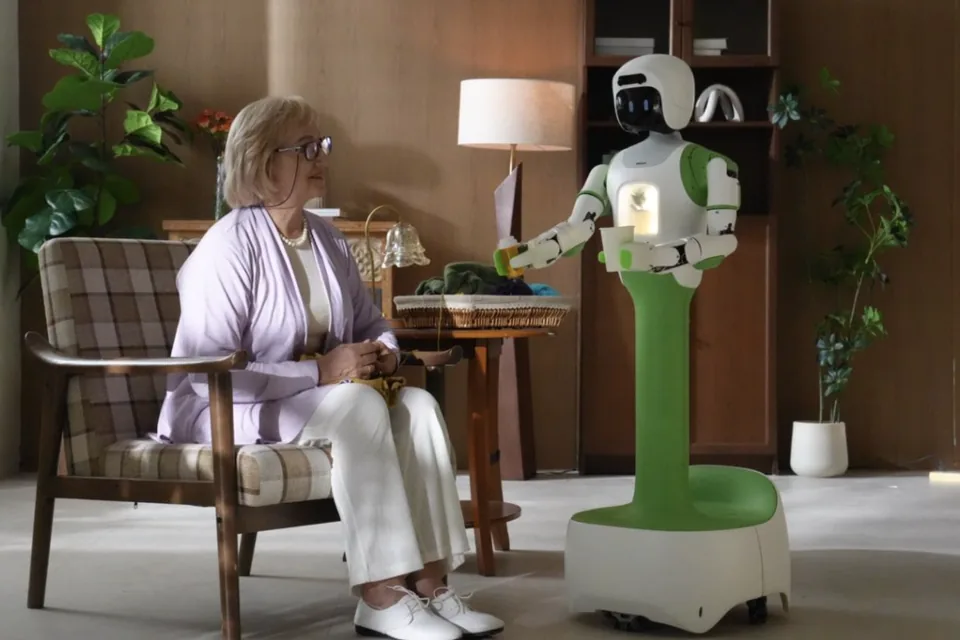
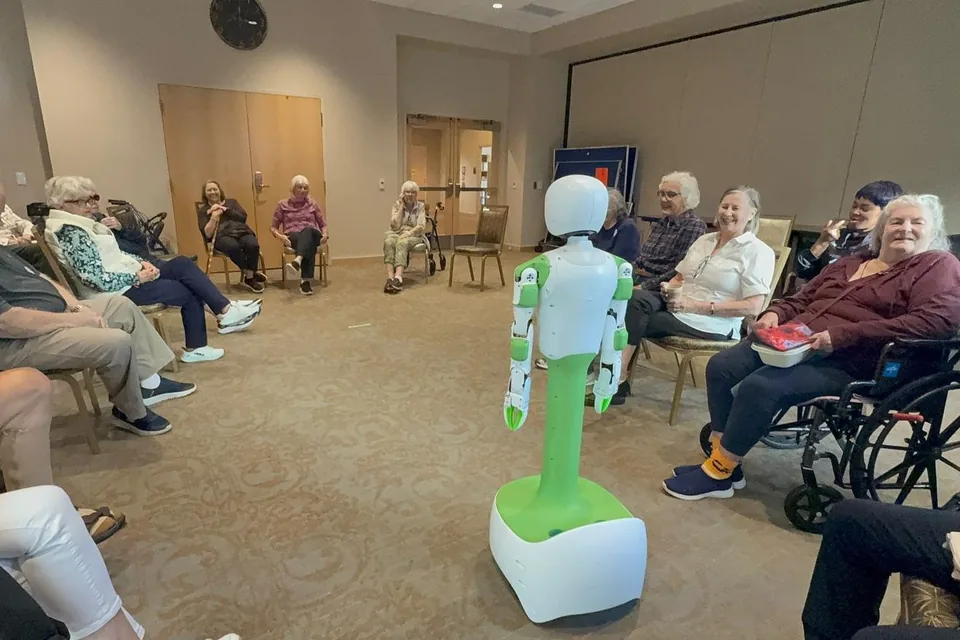
Homebot One Inc says KOKO is testing with real families and senior communities. For a community, a group session in the activity room is a low-pressure first step: residents meet KOKO together, staff stay in the room, and nobody has to have a robot in their own apartment to take part.
A group setting also shows things a one-on-one demo cannot. You see how residents react to each other’s questions, who wants to come closer and who prefers to watch, and how the robot fits into a room your team already runs every day.
Set up the room
Arrange chairs in a wide circle or horseshoe with clear floor in the middle, so KOKO can move without passing between chairs, walkers, or wheelchairs. Keep cables, bags, and tables out of the open floor area.
Leave room for residents who use wheelchairs at the front, and make sure everyone can see the robot without twisting. Good lighting and a quiet room help residents hear KOKO and each other.
- Clear open floor in the center
- No cables or bags on the floor
- Wheelchair spaces with a clear view
- A quiet, well-lit room
Keep staff and safety at the center
Have an activity staff member lead the session, with a Homebot One Inc team member operating KOKO. KOKO is designed to move on an omnidirectional wheeled base with a top speed of 1 m/s, to slow or stop when people or obstacles get close, and to have collision detection and an emergency stop button.
Homebot One Inc also states that KOKO never lifts, holds, or transfers a person, and that KOKO is not a medical device and does not replace professional care. Brief residents and staff on those limits at the start so no one expects the robot to help with standing or transfers.
Ask about privacy and photos before you begin
Tell residents what KOKO can see and hear during the session, and that its privacy cover can close the camera. Follow your community’s policy for photos and video, and get consent from residents, or from their representatives where required, before anyone takes pictures.
If you plan to share photos publicly, for example in a newsletter or on a website, ask for that permission separately and specifically. Residents who prefer not to appear can still join the session out of frame.
What to note afterward
Right after the session, write down what residents asked, which moments drew the most interest, and anything that made people uncomfortable. Notes from activity staff are often the most useful, because they know how a typical session in that room feels.
Communities interested in a longer pilot can join the KOKO Care pilot list at care.homebotone.com. Bring your session notes to that conversation so the pilot plan fits your residents, your staff, and your routines.
Frequently asked questions
Can a senior living community pilot KOKO?
Yes. Homebot One Inc runs a KOKO Care pilot list for senior living communities at care.homebotone.com.
Can KOKO help residents stand up or move?
No. Homebot One Inc states that KOKO never lifts, holds, or transfers a person; that stays with people.
Do residents need to agree to photos?
Follow your community’s photo and media policy and get consent before taking or sharing photos. Ask separately before using any image publicly.
Sources & further reading
From Homebot One Inc, the team building KOKO in Fremont, California.